Overview
This week, I started placing down buildings with eye tracking. I also allowed for selecting buildings. I enabled both voice recognition and eye tracking to do this. Additionally, I redid my speech system into a tree to make it more expandable, and made a couple refinements here and there to other parts of the game.
Command Center
I expected placing down buildings with both eye tracking and voice recognition to take much longer to accomplish than they did. With a new system I designed, it turned out not to be too difficult. I used to have a Speech Manager class that handled almost all of the commands in the game. Instead, I created a Command Center class to handle both eye tracking and speech input in a very similar way, reducing a lot of time that might have been spent duplicating code.
Eye Tracking
The hardest part of getting eye tracking right was allowing the eye to move a smidgeon without deselecting the object I was looking at. It turns out eyes are very fidgety, and this makes selecting things with eyes very annoying if done incorrectly. I managed to allow for a bit of fidgeting with some buffer frames where looking away doesn’t matter.
		GazePoint gazePoint = TobiiAPI.GetGazePoint();
		if (gazePoint.IsValid)
		{
			// Transform gaze position to point on screen
			Vector2 gazePosition = gazePoint.Screen;
			Vector3 roundedSampleInput = new Vector3(Mathf.RoundToInt(gazePosition.x), Mathf.RoundToInt(gazePosition.y), transform.position.z);

			// Check if gaze is on selectable object
			if(mCollider.bounds.Contains(roundedSampleInput))
            {
				// Set gaze to true and restart timer allowing eye to look away for mMaxUnfocusedFrames frames
				HasGaze = true;
				mFramesWithoutFocus = 0;
            }
			else
            {
				++mFramesWithoutFocus;
            }

			// If the eye has looked away too long, deselect
			if(mFramesWithoutFocus > mMaxUnfocusedFrames)
            {
				HasGaze = false;
            }
		}
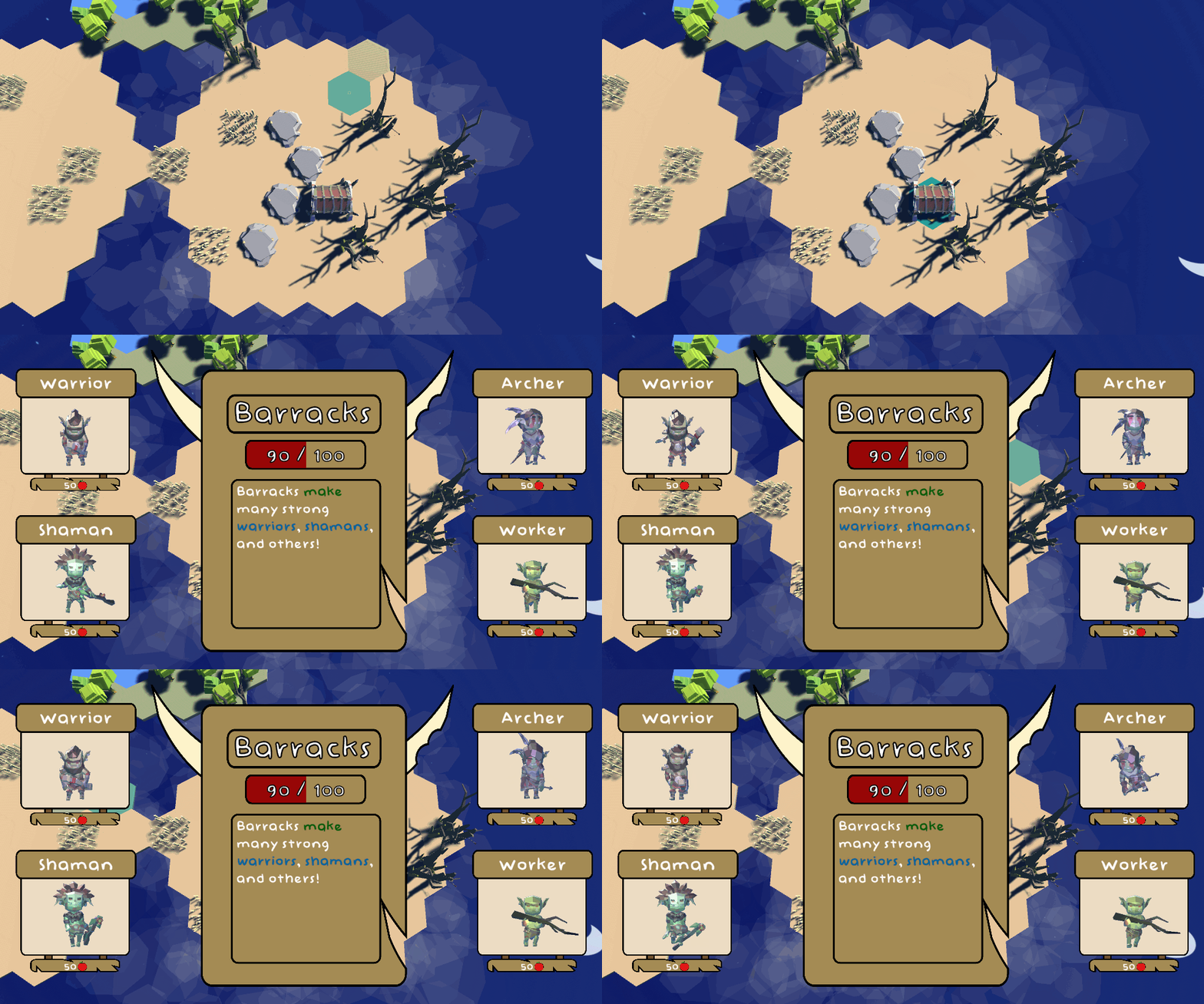
I also worked on selecting buildings with eye tracking. I’m going to have to come up with a more elegant solution, since focusing on a single tile on the hex is still awkward, but selection does work in this state without too much difficulty.
Voice Recognition
Let’s talk about this revamped speech system. It can still be improved, and it will be, but it’s in a much better state than it once was. I opened up the the good old Microsoft Paint and got to work designing what I wanted.
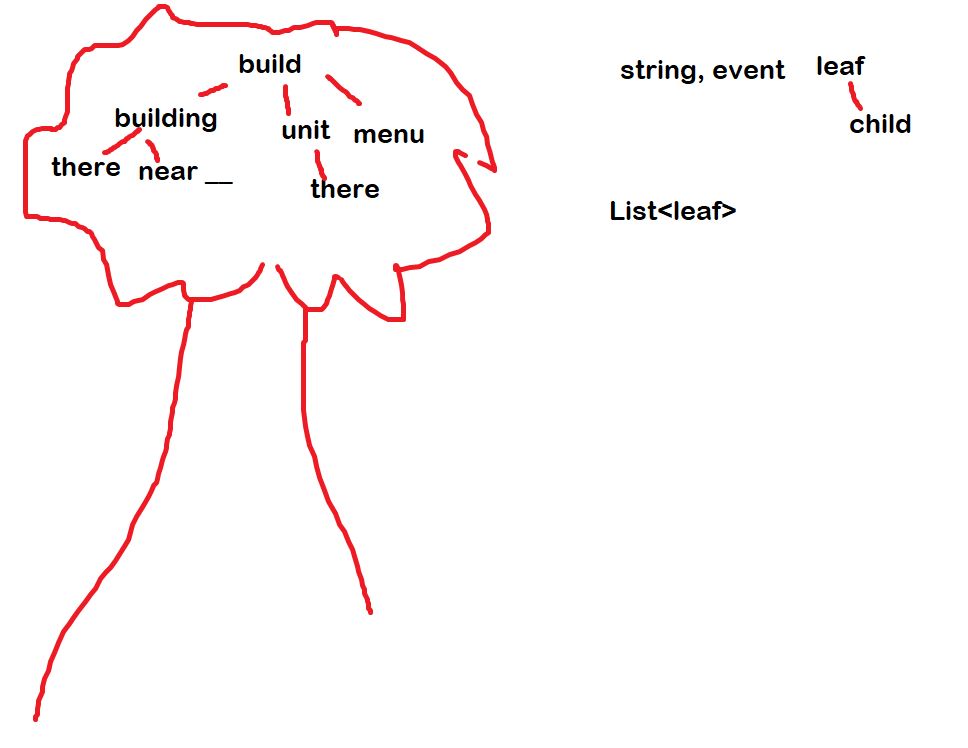
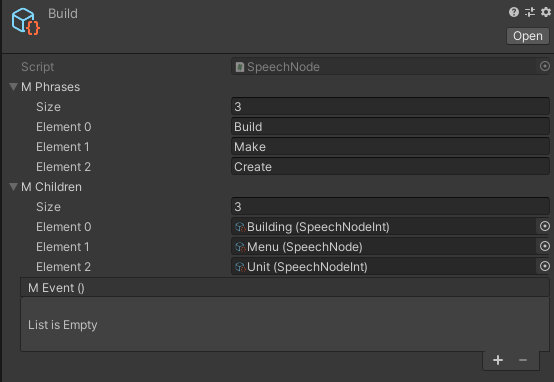
Despite the implication of the colors and tree, this is not a red black tree. This a a very simplistic tree. What I originally listed as Leaf became SpeechNode, a Scriptable Object. Each speech node has a list of phrases that can trigger it, along with children that have the same information. Certain nodes, mostly leaf nodes, have events on them. When a node with an event is reached, the event fires, which leads to some function being called in CommandCenter.

 public void ProcessCommandList(List<string> commandList)
    {
        // Find if command contains key phrase
        for(int i = 0; i < mPhrases.Length; ++i)
        {
            if(commandList.Contains(mPhrases[i]))
            {
                // Remove the found phrase. It can't be used twice
                int indexOfPhrase = commandList.IndexOf(mPhrases[i]);
                commandList.RemoveRange(0, indexOfPhrase + 1);
                // If there are children, check the command for the children's phrases
                if (mChildren.Count > 0)
                {
                    bool triggered = false;
                    for (int childIndex = 0; childIndex < mChildren.Count; ++childIndex)
                    {
                        mChildren[childIndex].ProcessCommandList(commandList);
                        triggered = true;
                    }
                    // If children were not called, but this node has an event, call it
                    if(triggered && mEvent != null)
                    {
                        InvokeEvent(i);
                        break;
                    }
                }
                // We are in a leaf node. Execute the event
                else
                {
                    InvokeEvent(i);
                    break;

                }
            }
        }
I didn’t want to have to create a separate node for all different types of buildings and units, so I also created a child version of SpeechNode that invokes an event with an int. Doing so allows me to transfer the information of which of the phrases specifically was triggered.

You may notice I wrote “barracks” as “berrics.” I don’t know what “berrics” means. But I do know that the speech recognizer I’m using decides that the word I’m saying sounds more like “berrics” than “barracks,” so if we’re going with a Occam’s Razor kind of situation, this seems like the best solution.
Anyway, here’s how selecting buildings with speech recognition looks in-game.
Miscellaneous
Other than what’s mentioned above, I made some small fixes. I refined the UI to look nicer. I added in all the unit prefabs I want for the game (warriors, archers, magicians, and workers for both human and goblin players). I also changed around how the background underneath the hexes looks, modified my map generation, and added the ability to move the camera to discrete hexes.

 Keira Taylor - Game Development
One thought on “PPP Week 3”