Overview
This week was very similar to last week, but instead of placing buildings, the goal was placing units. In addition to creating them through voice recognition and eye tracking, I also created a research system, unit stats, allowed the user to place buildings with just voice, and smaller miscellaneous things.
Unit Creation
I had already made prefabs for my units last week, so spawning them in was a simple line of code. The more complicated bits were getting the UI to work and to be easy enough to use with eye tracking and fidgety eyes. I toyed around with different ideas of how the user can express how many units they want to create, but I landed on this design.
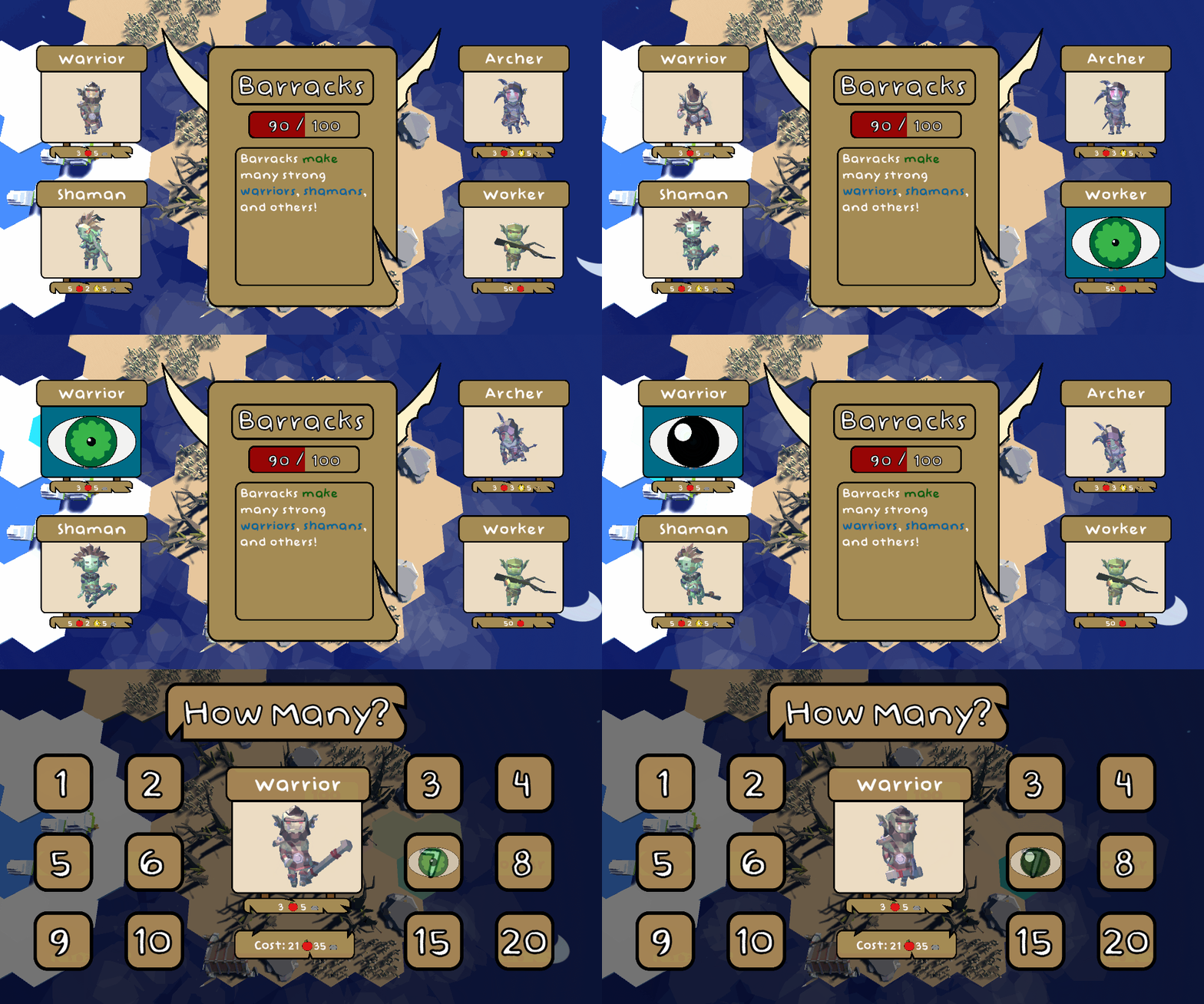
I’m not entirely satisfied with this design because it’s nearly impossible to see how the price scales up with each unit you buy while you have to be staring at a number. I’ll have to think further about this to come up with a cleaner design.
When a player creates units, they’re enqueued to a list where they will be created one at a time. Their spawn time is unique to each unit type, and I have plans to have building upgrades also affect this time. And what do they do when they spawn in? Well…

Movement is going to be my focus for next week, and with that, I’ll have these green boys colliding with each other instead of forming into one creepy warrior.
Unit creation also works with voice. The player simply says “Create x units” and if there’s a barracks on the hex the camera is focused on, and the player has enough resources, units will start popping out.
Resource System
Adding a resource system to this wasn’t very difficult. I added a GameState class to keep track of the available resources, and I gave it a function to check if it could afford something. Every time before I build a building or create a unit, the resource cost is checked, and it is either created or it isn’t. The next step is letting the player know that the reason a building isn’t showing up is because they can’t afford it. I would love to have a little goblin chieftain telling the player that with some voice acting, but I have to see all that that entails, and whether it would be cheesy or not.
    public bool SubtractResources(List<Resource> resources)
    {
        if (CanSubtractResources(resources))
        {
            for (int i = resources.Count - 1; i >= 0; --i)
            {
                for (int j = 0; j < mGatheredResources.Count; ++j)
                {
                    if (resources[i].Type == mGatheredResources[j].Type)
                    {
                        mGatheredResources[j].Amount -= resources[i].Amount;
                    }
                }
            }
            mResourcesSubtracted.Invoke();
            return true;
        }
        return false;
    }
Research System
Most RTSs have some form of a research system, a way for units and buildings to improve. To start the process of making one, I gave each unit base stats with an extra variable for bonus stats. I had already made the UI I wanted for my research menu a little while ago, so I continued modifying that. I thought I was set up for success in making this system, but unfortunately, I got off on the wrong foot.
I created each research option as a Scriptable Object, like how my speech tree is set up. This made it very easy to create different research options and give them statistics, but it came with a downfall. Scriptable objects in Unity keep the changes made to them after the game is stopped. While this is great for things like saving and loading, it’s not so good for testing and having a bunch of disparate games one after another.
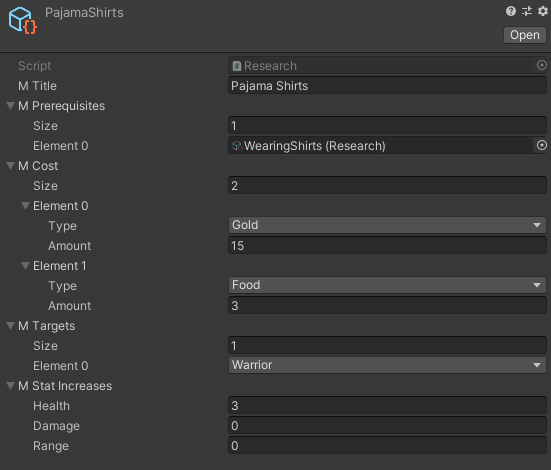
Long story short, I created a sizable chunk of the system, and only when I was deciding how I was going to unlock branching research options did I realize that I was doing something wrong. I couldn’t unlock a research topic unless I wanted it unlocked forever. Not to mention, finding all the prerequisites and children to each topic was a maze. In order to unlock research options when their prerequisites were learned, I would have to make a copy of the option, unlock that, then manage to keep track of it. It’s a mess, and it’s something I’m going to put effort into redoing next week.
Placing Buildings with Voice
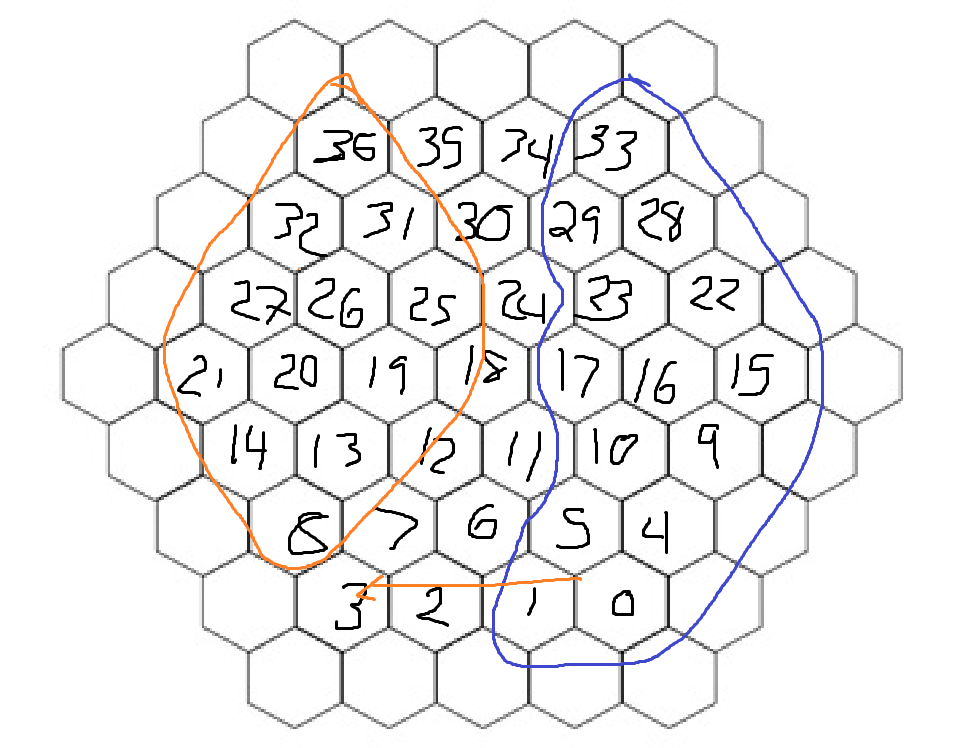
To finish on a positive note, creating buildings using voice was not as hard as I thought it would be. The toughest part was probably finding out where “North, East, South, and West” were on a hexagonal grid that I was storing in a 1D array. It turned out that North and South can be found by reading the list either forward or backwards, and East and West required some cursed math to implement. Here’s the obligatory Microsoft Paint image used to work it out.
Nevertheless, I expanded my speech tree to add variations of the phrase “Create a building in some cardinal direction”, and viola! A building pops into existence. Right now, the 4 cardinal directions are supported, but in the future, I would like to add the option to create buildings in the center of a hex, as well as relative to other buildings or resource nodes.
 Keira Taylor - Game Development
One thought on “PPP Week 4”