Overview
This week, I reworked my entire movement system. I also implemented towers, a smarter AI, and made some various improvements to things like animations and VFX.
Movement System
Last week I mentioned how I created an adjacency map and attempted to clean up my units’ movement so that they can go across terrain more rationally. This week, I ripped up my old movement system that was based on pure position vectors to move towards something closer to tile-based movement. The main reason for switching was because I couldn’t easily find a way to define holes between the different platforms when they were generated procedurally. Moving units based on tiles allows me to move the units first to the correct Big Hexes, then to the correct small hex. While it was very complicated to make this system, and movement in general remains one of my biggest struggles, envisioning how I wanted my units to move was a lot easier for me than with the old system.
Essentially, at the beginning of the game, I create an adjacency map detailing which Big Hex a unit has to go through before they can get to their desired destination. For example, using the image below, if a unit on 1 wants to get to 3, it will go through 2. So the adjacency map’s entry for [1, 3] is 2. Similarly, entry [4, 3] could be either 1 or 5, considering those are both paths that would take a unit from 4 to 3.
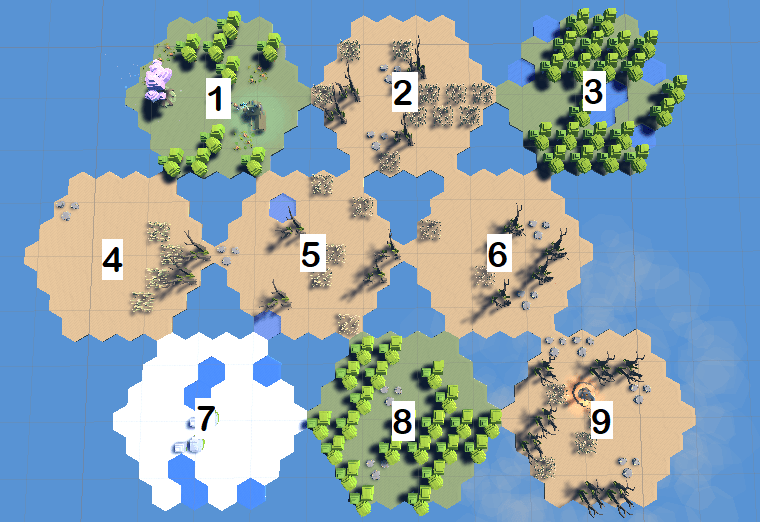
Once the unit is on the correct big hex, it’ll simply draw a straight line from where it is to where it wants to go. In the future, I may change this so that the units navigate each hex on the big platform, but for now, I don’t mind units walking through the few buildings they may.
Along with this new system, I got rid of units’ ability to move away from other units. It was causing them to vibrate and move oddly to try to avoid each other. Instead, I created a very basic system where if another unit is in the way and it’s moving, the unit will wait for it to move. It’s not perfect, but it works and doesn’t look odd, except in some rare circumstances.
I’d like to share one such case.
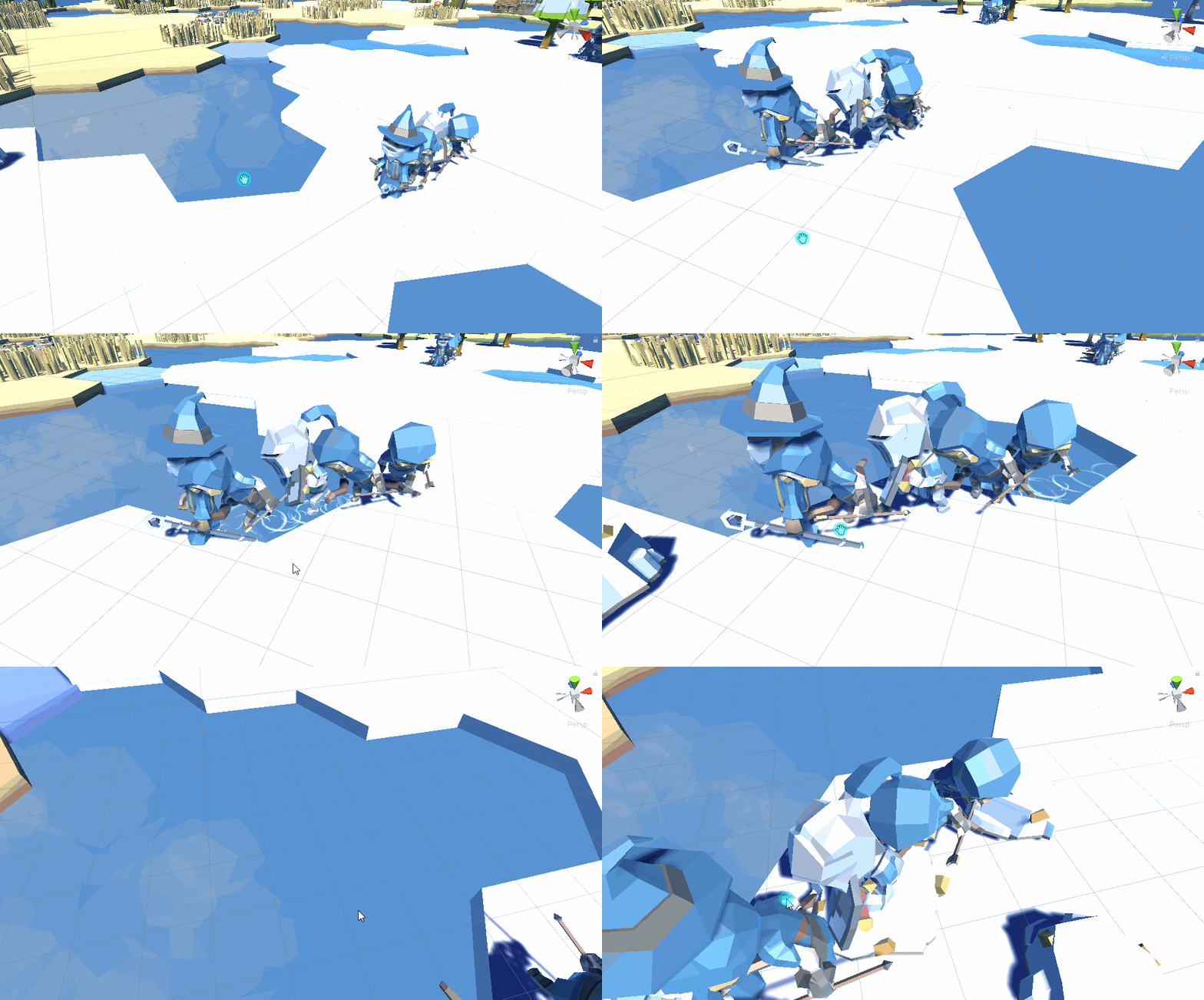
Movement is something I have a lot of trouble with, so it’s going to be an ongoing process to improve it. As this game is merely a wrapper for exploring eye tracking and voice recognition in games, the movement isn’t too important, except when it looks plainly bad.
Speaking of getting movement to look better, you might notice some VFX in the gif above. I didn’t want units to avoid water because I didn’t create water with the intent of making it an obstacle. I just used it for aesthetics. So the units don’t look resemble Jesus too much when they seemingly float over water, I added ripples that only occur when a unit is standing over water to show that they are indeed walking in it and not over it.
Towers
Towers were objects I’ve had in the game since the first couple of weeks, but I never added any functionality to them. Well, now I did. Towers and projectiles, if they home in on their targets as opposed to leading shots, is incredibly easy to achieve. Set the target, lock onto it, and when the projectile is close enough to the target, destroy it and damage the target it hit.
I have my towers keep a running list of how many units are in range that they can hit. Every x seconds, they shoot a valid target using LaunchProjectile and then restart their timer.
    public void LaunchProjectile(Unit target)
    {
        Projectile projectile = Instantiate(mProjectile, mShotLocation);
        projectile.SetTarget(target, mDamage);
    }

    new public void Update()
    {
        if (mUnitsInRange.Count > 0)
        {
            mTimer += Time.deltaTime;
            if (mTimer >= (1 / mAttackSpeed))
            {
                mTimer = 0;
                Unit unit = mUnitsInRange[0];
                if (unit)
                {
                    if (unit.IsAlive())
                    {
                        // Fire
                        LaunchProjectile(unit);
                        return;
                    }
                }
                mUnitsInRange.RemoveAt(0);
            }
        }
    }
Projectiles have two types of targets: units and buildings. The code is very similar except that buildings take damage differently from how units do. In either case, the projectile determines if the thing it’s trying to hit hasn’t died yet. If it hasn’t, it moves towards it in a direct line and then damages the target and kills itself.
    public void SetTarget(Unit target,int damage)
    {
        mDamage = damage;
        mTarget = target;
        mIsAttackingUnit = true;
    }


    void Update()
    {
        if (mIsAttackingUnit)
        {
            if (!mTarget || !mTarget.IsAlive())
            {
                Destroy(gameObject);
            }
            if (((mTarget.transform.position + mHeightVector) - transform.position).magnitude > 0.1)
            {
                transform.position += ((mTarget.transform.position + mHeightVector) - transform.position).normalized * Time.deltaTime * mSpeed;
            }
            else
            {
                mTarget.TakeDamage(mDamage);
                Destroy(gameObject);
            }
        }
...
My first implementation of this, I made the classic mistake of reversing my direction vector, leading the projectiles to shoot off into space.
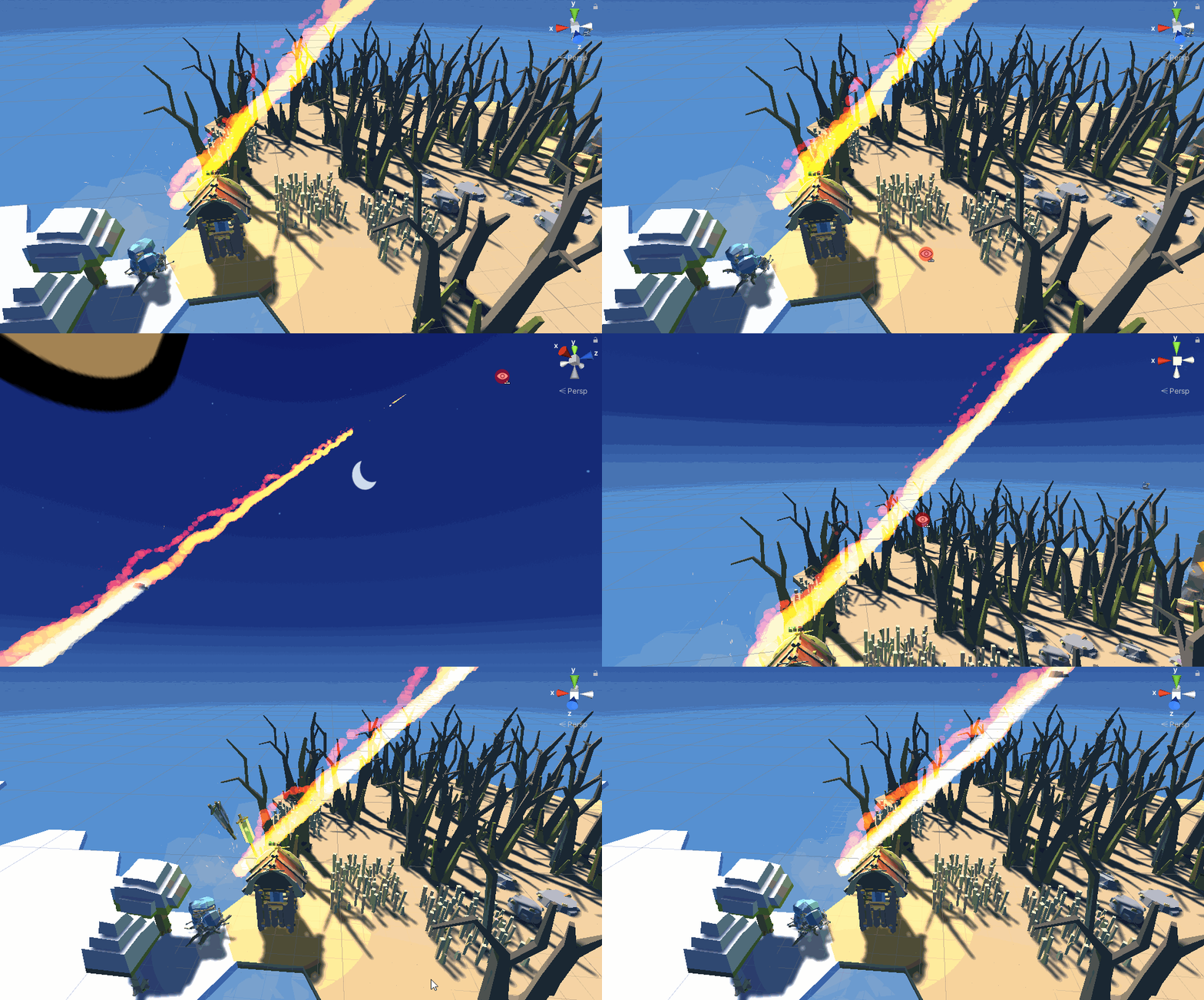
In my second iteration, I didn’t tune the tower correctly, which led to quite a bit of carnage.

In my third iteration, I finally got it right. These archers do die almost immediately, but that’s because they had as much health as the projectiles did damage. I didn’t change it too much, though, since you shouldn’t be sending your weakest units to the front line like this, anyway. A knight / warrior has much more health to protect against a tower’s attack.

Miscellaneous VFX
The last notable thing I did was add some VFX that helped me in debugging and is also useful to the player. For one, units now place down a flag where they want to walk, and the flag flies up and away when the units reach their location.
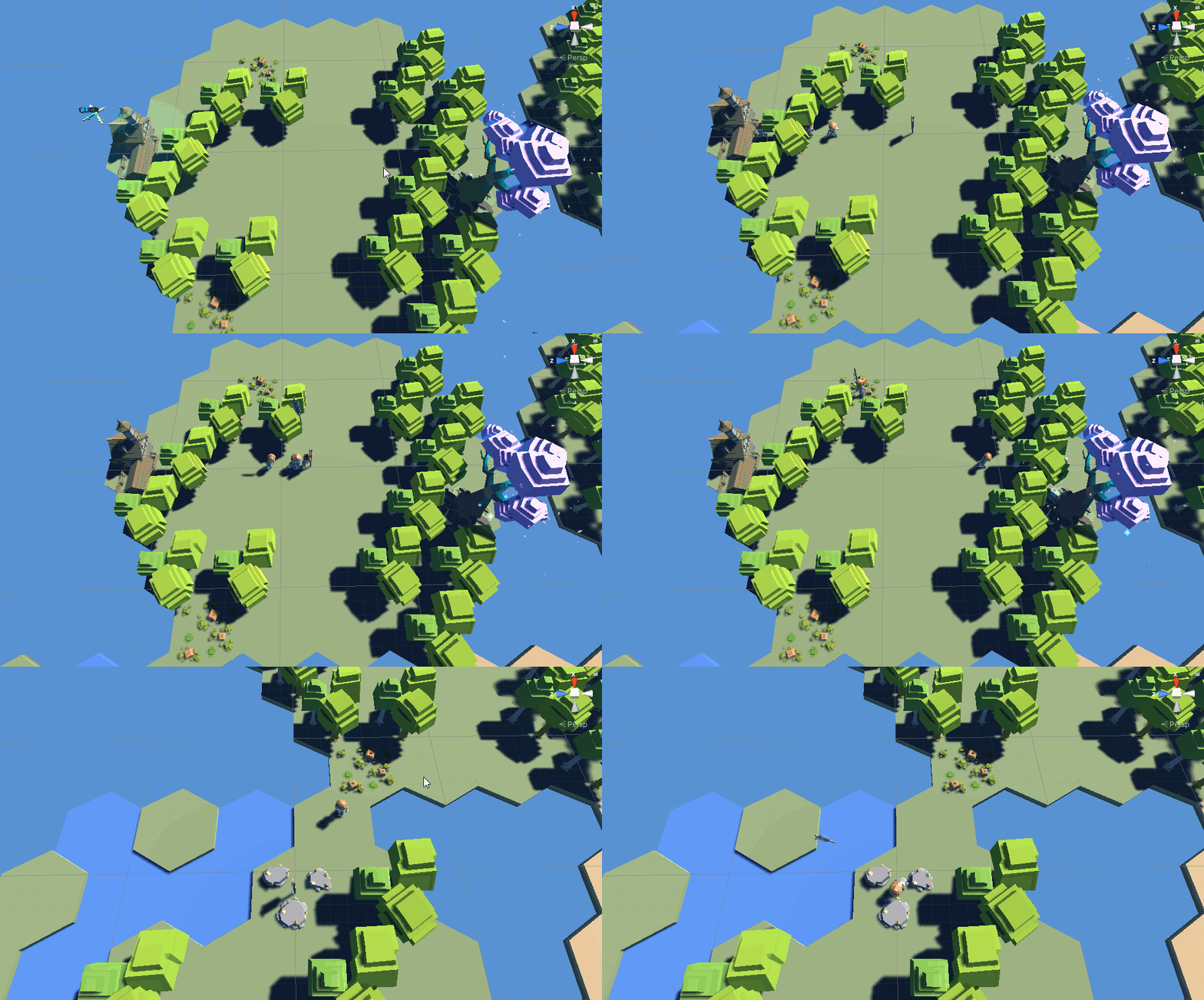
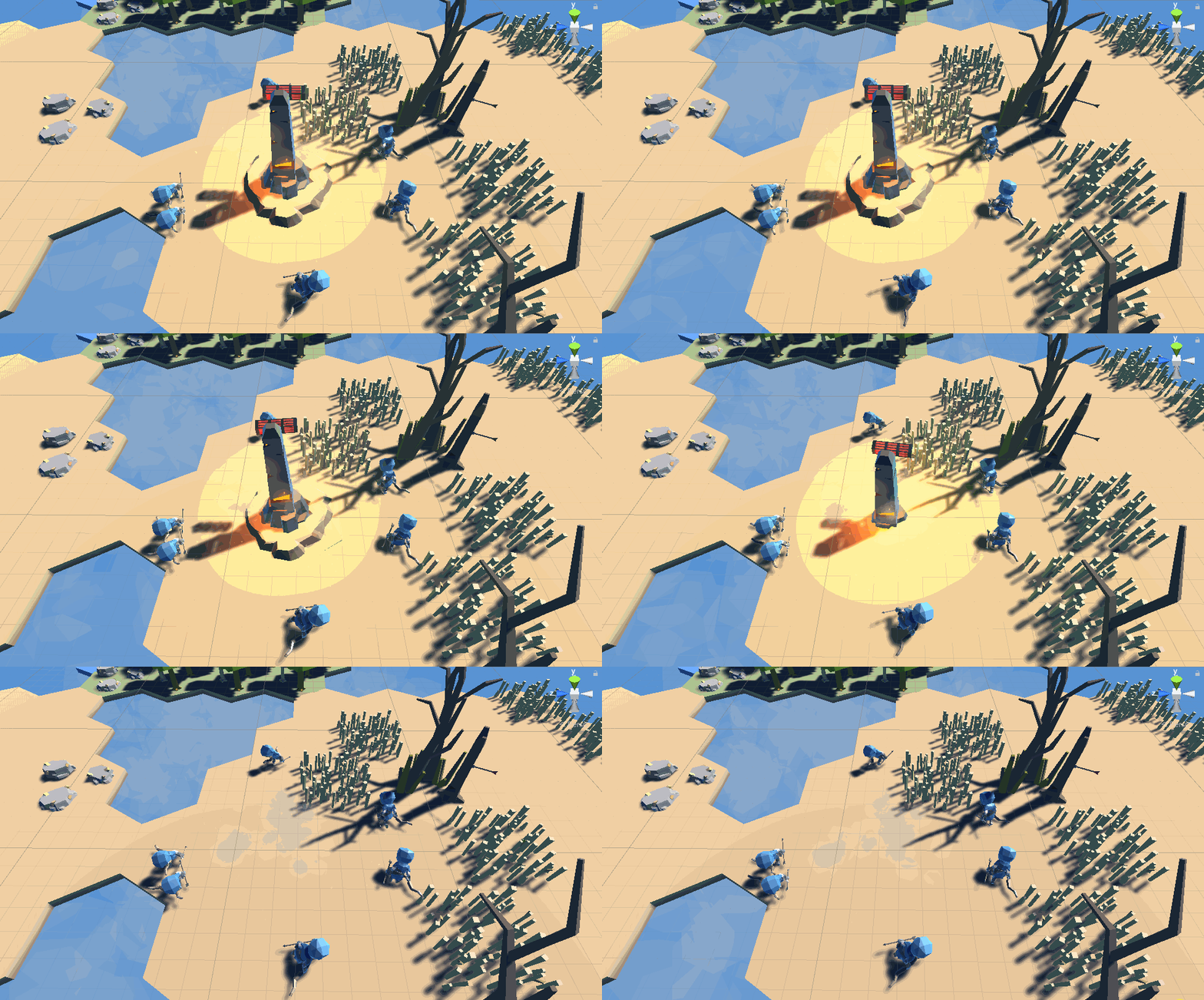
I’ll finish off with this building improvement. Upon being destroyed, they now fall through the ground!
 Keira Taylor - Game Development
One thought on “PPP Week 9”